Showing posts with label electronic. Show all posts

Mar 4, 2017

Amazon Echo Dot review (2016): Forget the Echo. Buy this instead.


The robot assistants we were promised as children are finally ready for the home. Well, sort of. Instead of walking, talking humanoid automatons like Rosie from The Jetsons and Robby the Robot from Lost in Space, our well-spoken helpers are housed in plastic and sit on tables. They answer our questions, control our homes and sometimes tell us a story. The most ubiquitous assistant so far has been Alexa, an Amazon-powered attendant that has made the jump from a $180 tower to the $50 Dot, which isn't much bigger than a hockey puck. That sort of drop in size usually results in a loss of features. In this case, you're going to want to go tiny.


Summary
The Dot is a smaller yet just as powerful version of the Amazon Echo. What it lacks in an internal speaker system it makes up for with an audio-out port and Bluetooth connectivity. While the app and inability to route queries to a single Alexa device within close proximity of each other can be annoying, the $50 price and Alexa's usefulness make the Dot a solid option for anyone who wants to start building a connected home on the cheap.

Hardware
At only 1.3 inches tall, the Dot (available in black or white) virtually disappears into your home. It can be placed anywhere, and it won't disrupt your carefully decorated room. Like the larger Echo, the second-generation Dot can be used to fill an Amazon cart. But that's not the only thing people use it for. Instead, the Alexa platform is an incredibly helpful connected home hub, a fountain of random   facts, an audiobook reader and a music player. Indeed, it's music where the Dot really shines, thanks to an audio-out port and Bluetooth speaker support. That gives it access to nearly any audio system in your home. The full-size Echo's built-in speakers sound fine too, but the stereo system I already own sounds better.
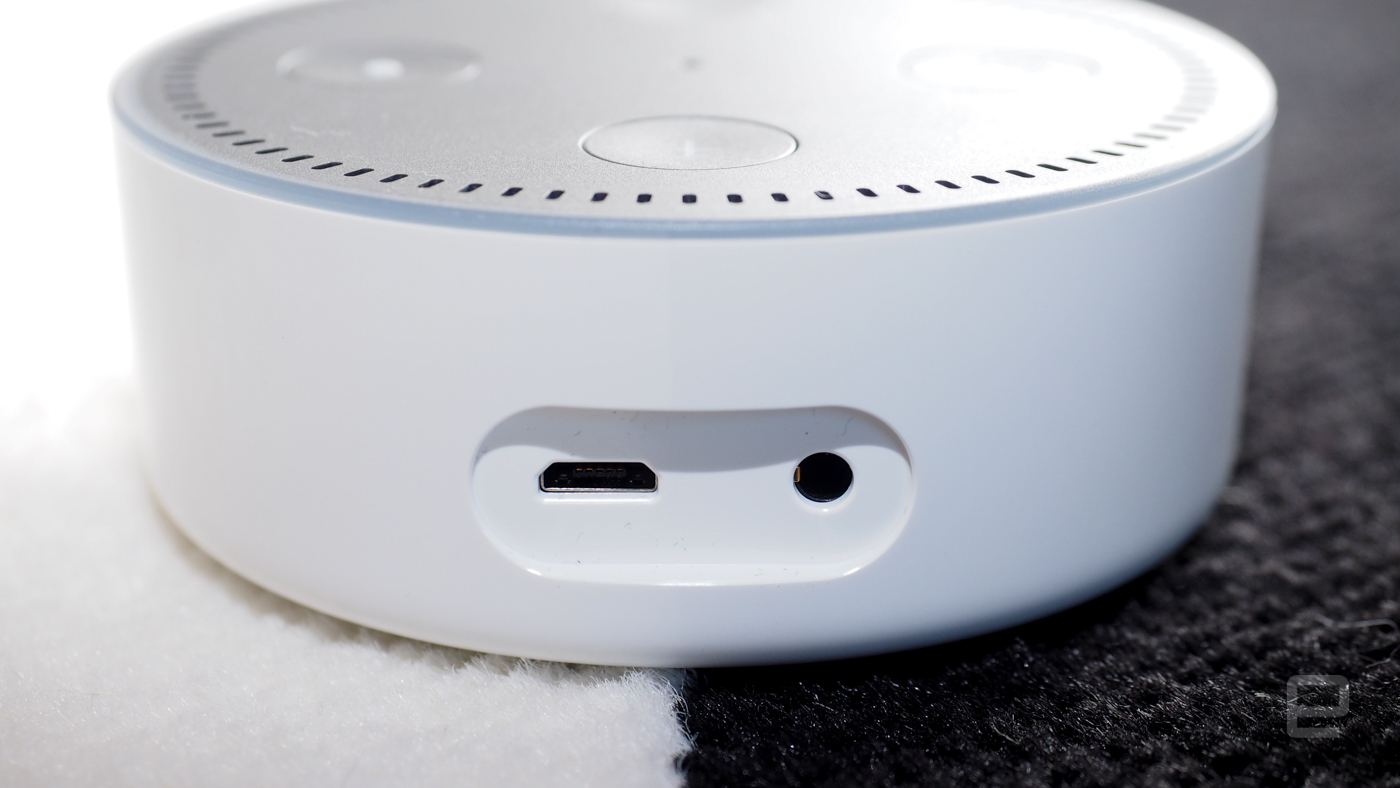


Also, you can switch between wired and Bluetooth speakers on the fly by enabling and disabling the Bluetooth connection with your voice. That feature allowed me to switch my audio source in two different rooms using a single Dot. That said, the Alexa platform does work with Sonos if you want that type of audio system and you have the money. Unfortunately, you can't play audio out of both a wired and a Bluetooth source at the same time. Like the Echo, the Dot has an internal speaker, but it's too anemic for audio playback to be truly enjoyable.

And while about 90 percent of your interactions with the digital assistant will be voice-based, there are physical buttons on top of the device as well. The most important of those is Microphone Off, which, as you'd expect, stops the device from listening for the "Alexa" wake word. It's a great feature for when you want to discuss sensitive topics and you're feeling a bit paranoid. Indeed, there's good reason for being cautious with sensitive material: Sometimes the Dot and Echo think they hear "Alexa," even when that's not what you said. Now a bit of your conversation has been recorded as aquery, sent to Amazon's servers and also stored in the app.
Additionally there are volume buttons that replace the full-size Echo's twistable top. Fans of the knob will be disappointed, but most of the time I use my voice to raise and lower the volume anyway. The buttons are surrounded by an LED ring that indicates when the Dot is listening and thinking. It also reflects the current speaker volume. It's a nice indicator that your assistant is listening, and it can be seen from across the room without being too bright or blinding.

In use
The thousands of "Skills" (what Amazon calls third-party add-on features for the Alexa platform) are where Amazon has a distinct advantage over Google's forthcoming speaker hub, called the Home. It already supports popular connected-home brands such as Nest, SmartThings, Philips Hue and IFTTT, as well as platforms from WeMo, Insteon, Lutron, Honeywell and Ecobee, among others. Plus it works with travel and recipe apps. You can order a pizza, flowers and a car with it. You can check bank balances and get news briefings from NPR, Fox and the AP. You can hear sports scores from ESPN, and you can even figure out how much gas is in your car using the "Automatic" Skill.

I tried nearly all of these (except ordering pizza, because ew, Dominos) and they all worked like a charm. But the Skills library -- like all app stores -- is filled with some add-ons that are better left ignored. For example, the Moon Age add-on notes, "you can know the moon age by asking to [sic] Echo." What does that even mean?

OLYMPUS DIGITAL CAMERA

Adding all these Skills requires using the Alexa app, which is clearly the weak link of Amazon's platform. I've been using an Echo for more than a year, and in the past few months the app, frankly, has been a pain to use. The issue is that it says it's not connected to the internet, even when my phone and Echo speaker both can access the network without a problem. If it doesn't think it's online, the app becomes worthless. Fortunately, you can also tap into Alexa via your web browser. That workaround has consistently worked for me. But I usually learn of a new Skill while on the go, and if 20 percent of the time I can't add it because the app is buggy, that's frustrating.

Another confounding thing is that you can't really have two Alexas in adjoining rooms. Amazon says that its Echo Spatial Perception feature (ESP) determines which device hears you the best and sends answers only to that piece of hardware. But during my tests, the Dot and the Echo both replied and answered when I said the wake word or made a query. Even if I was sitting in front of one of them, if the other assistant heard me, it would react. To combat this, I changed the wake word on one device to "Echo." Those in larger houses with more rooms might have a different experience altogether, though.

The competition
While there are rumors of an Apple device on the horizon, the only real challenge to Alexa's dominance in this field is the forthcoming Google Home. While the Home does have some Internet of Things capabilities, they pale in comparison with the Echo and the Dot. While the Google offering works with four connected home platforms, Alexa supports more than 13 different manufacturers and developers. But the $129 device will allow for audiocasting to multiple devices that support Google's audio and video streaming service. The Dot, meanwhile, can send music only to a single device.

The Amazon Dot is also out sooner, but only by a few weeks. It starts shipping next week, on October 20th, while Google Home goes on sale November 4th. Engadget will have a full review of Home once it's available, so stay tuned for that over the coming weeks.

Wrap-up
OLYMPUS DIGITAL CAMERA

Even with multiple wake words, the inability to stream to multiple devices and an app that sometimes fails, the Amazon Dot is an incredible value at $50 a pop. Dropping one in the kitchen and one in the living room seems like a no-brainer. I've used the Echo tower for more than a year and it's one of the only -- if not the only -- IoT devices that actually works as advertised while continuing to gain features. Alexa doesn't roll around the house cleaning up your mess like the home robot of our dreams, but it does make your life better by bringing all your various services and information into an easy-to-use setup. Plus, thanks to the audio jack, the $50 Dot is a much better value than its taller cousin. Just don't call it Rosie.

Feb 26, 2017

The Best Electric Toothbrush

The best electric toothbrush for you depends on your unique preferences and budget. Certain health conditions may also influence the type of brush you choose, so if you’re unsure what kind of toothbrush you need, you should start by consulting your dentist.

Is an electric toothbrush worth the investment?

Sure, electric toothbrushes look flashy, but do they really do a better job of cleaning your teeth? According to a recent study by Cochrane, an independent organization that gathers and summarizes health research for consumers, power toothbrushes have been linked to greater reductions in plaque and gingivitis, compared to manual brushes. These benefits appear to increase with consistent use, so there may be something to the idea that power toothbrushes do a better job.
This isn’t to say your oral hygiene is suffering if you use a manual toothbrush. Every source I consulted made one thing very clear: How you brush is more important than what you brush with. If you carefully brush your teeth twice a day for two minutes each time and floss regularly, an electric toothbrush may not be worth the investment.
But let’s be honest — most people don’t brush for two whole minutes, and flossing isn’t usually high on the priority list. In that case, a little extra help from an electric toothbrush goes a long way in maintaining your oral health. Most rechargeable toothbrushes have built-in timers to ensure you’re brushing for the full two minutes. Some also have quadpacers, which notify you every 30 seconds, so you spend equal time on all areas of your mouth.
If you struggle with arthritis or limited mobility, a power toothbrush is probably a better choice. The toothbrush provides much of the brushing action for you, so you get a better clean with a lot less movement on your part.
People who have a tendency to brush too hard with a manual brush may prefer a power toothbrush with a pressure sensor. Brushing too hard can damage the gums and erode tooth enamel, and a pressure sensor’s feedback helps you avoid this.
Beyond that, if you believe you’re getting along fine with your regular toothbrush, you don’t need to run out and buy an electric one. But if you think your brushing habits could use improvement, a power toothbrush is a smart investment.

Battery-Powered Versus Rechargeable Electric Toothbrushes

In most cases, rechargeable electric toothbrushes are the way to go. They require a bigger upfront investment, but you get a lot more for your money. Plus, timers, brushing modes, pressure sensors, UV sanitizers — you won’t find any of them in your average battery-powered toothbrush, which is essentially just a manual toothbrush that vibrates.

Cost

Price is the main reason most users choose a battery-powered brush over their rechargeable counterparts. A battery-powered brush costs just a few dollars more than a manual brush, while rechargeable toothbrushes can cost upward of $200. Plus, there’s the additional cost of replacement heads. There are cheap rechargeable electric toothbrushes on the market as well, and these are usually basic models. They’re still more expensive than battery-powered brushes, but they’re a good option if your budget is limited.

Warranties & Guarantees

Warranties are another factor to consider. As a general rule, battery-powered toothbrushes don’t include them, while most rechargeable brushes do. If your rechargeable electric toothbrush breaks within the first two years after purchasing it, you can get it repaired or replaced at no additional cost. This may justify paying a little more upfront for a rechargeable model.

Kids

Kids’ rechargeable electric toothbrushes are rare, although both Oral-B and Philips Sonicare offer a rechargeable model for older children. If you’re looking for an option for a younger child, you’re limited to battery-powered or manual brushes.

Rotating-Oscillating Versus Sonic Electric Toothbrushes

Another way to phrase this would be: Oral-B vs. Philips Sonicare. These are the two major players in the rechargeable electric toothbrush market. These buzzwords are often thrown around the market, but what do they actually mean — and what difference do they make to you?

Oscillating

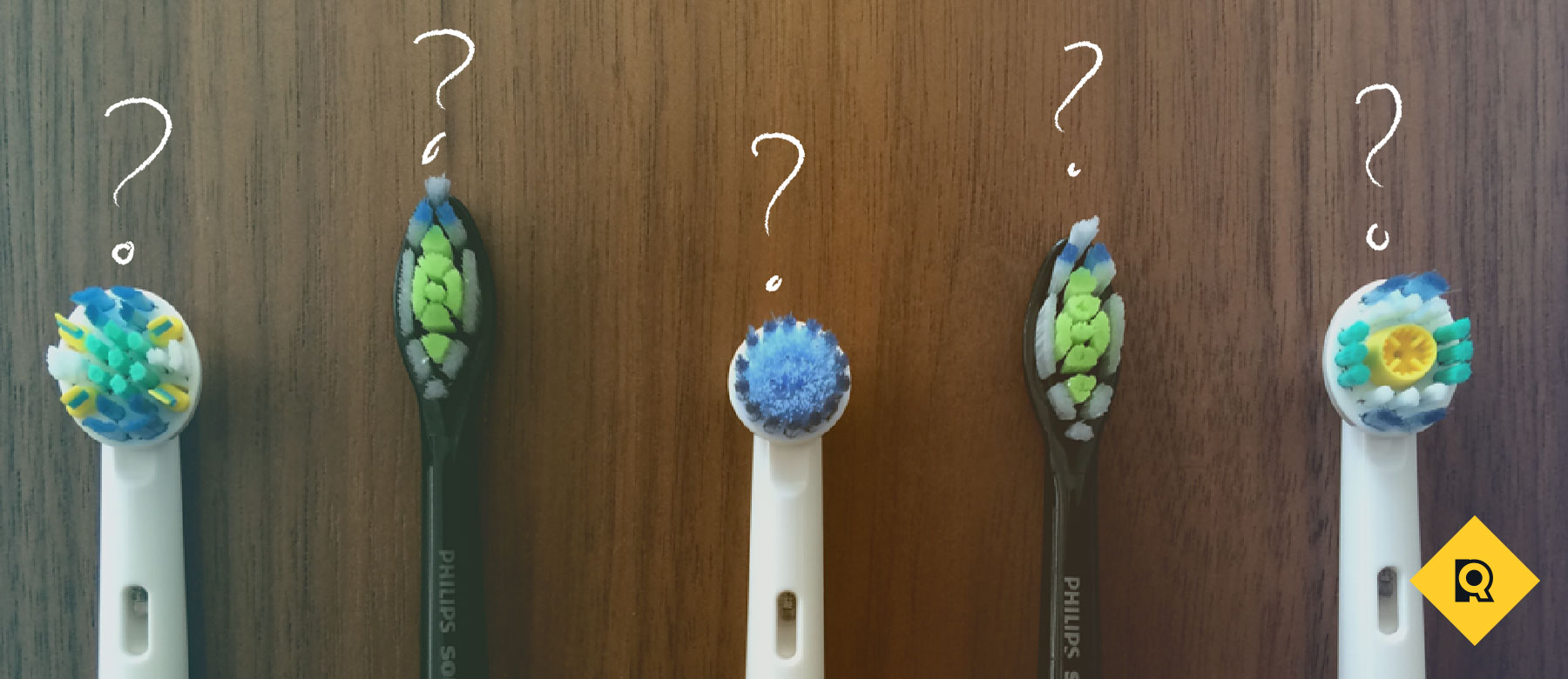
Oral-B’s rotating-oscillating toothbrushes come with smaller, round toothbrush heads that turn quickly in one direction and then in the other.

Sonicare

Philips Sonicare brushes are shaped like a regular toothbrush head and vibrate side to side at very high speeds, in some cases over 30,000 times per minute.
As mentioned above, Cochrane did a systematic review of the different types of power toothbrushes and concluded that the rotating-oscillating models proved more efficient at reducing plaque and gingivitis than other types of toothbrushes. But the difference was slight and the authors noted it was unclear what clinical significance it had.
Personal preference comes into play here. Until you try them out, it’s difficult to be sure which type you’ll prefer. Rotating-oscillating does seem to hold two distinct advantages, though. The smaller brush head is easier to maneuver into tight spaces in your mouth, enabling you to better cover all surfaces. In addition, rotation-oscillation toothbrushes require a lot less work on your part. Sonic toothbrushes require you to move the brush back and forth as you would with a regular toothbrush, but with the rotating-oscillating models, all you have to do is hold the brush against each tooth for a few moments.

How much should you spend?

Generally, the more expensive the electric toothbrush, the more features it has. So determining how much you ought to spend is about figuring out which features you can’t live without.
Basic battery toothbrushes cost under $15, but most of these don’t even have timers. If you’re looking for something rechargeable, $25 to $40 is the least you’re going to pay. These models don’t include any extras, like multiple cleaning modes or a pressure sensor, but you’ve got a timer and a rechargeable base.
If you’re thinking about extras — quadpacers, pressure sensors, sensitive and whitening modes — the price rises considerably, with the most expensive models maxing out around $200. These extra gadgets and a better battery life are some of the only differences between these high-end units and their less-expensive counterparts. You don’t need to spend half of your paycheck on an electric toothbrush if you’re not interested in all the fancy gadgetry — a basic model still gets the job done.

What makes a good electric toothbrush?

What constitutes a “good” electric toothbrush to you depends on what you’re looking for. For some, it’s a basic model, while others want all the bells and whistles. Here are some features to look out for when choosing an electric toothbrush.

6 Essential Features

These are some of the top features that the best electric toothbrushes all have:
  1. Two-minute timer — This feature is great for ensuring you’re brushing for the recommended length of time.
  2. Comfortable grip — The toothbrush should be easy for an adult to hold and grip.
  3. Long-lasting battery life — The toothbrush’s power should last for several days before needing a recharge.
  4. Small toothbrush head — Smaller toothbrush heads are easier to maneuver into hard-to-reach areas.
  5. Compatible with multiple toothbrush heads — Choose the type of bristles that best suit your individual health needs — sensitive, floss action, braces care, etc.
  6. Warranty — Most rechargeable electric toothbrushes include a two-year limited warranty with your purchase, so you’re covered if your toothbrush breaks unexpectedly.

8 Bonus Features

For those of you interested in extras, check these out:
  1. Quadpacer — This feature notifies you every 30 seconds so you brush all quadrants of your mouth equally.
  2. Pressure sensor — A pressure sensor stops you from brushing too hard.
  3. Travel case — A travel case keeps your toothbrush safe and clean while you travel.
  4. Charge-level display — This tells you how much charge the battery has left.
  5. Multiple brushing modes — The toothbrush comes with special modes designed for sensitive teeth, whitening, and other specific circumstances.
  6. Money-back guarantee — If you don’t like the toothbrush after you buy it, you can return it within the first month or two.
  7. UV sanitizer — UV sanitizers reduce the amount of germs on your toothbrush.
  8. ADA Seal of Acceptance — The American Dental Association (ADA) tests toothbrushes to ensure safety and effective cleaning.

Extra Considerations for Kids

  • Smaller brush heads — Kids have smaller mouths, so they need a smaller toothbrush and smaller toothbrush heads.
  • Smaller handles — The handle should fit easily into kids’ smaller hands.
  • Targeted at appropriate age — Kids of different ages often require different toothbrush sizes.

How We Chose the Best Electric Toothbrush of 2016

I spent several weeks reading every article about electric toothbrushes I could find on the internet, reviewing the latest research from sources like the American Dental Association, independent organizations like the Cochrane Collaboration, and checking out customer reviews from Amazon, Target, Walmart, and manufacturers’ websites.
I started out with over 70 electric toothbrushes and narrowed them down to the top seven based on average customer rating from the sites above, the type of brush-movement used (rotating-oscillating versus sonic), and the features included. Built-in timers were a must, but I tended to favor the brushes that went beyond this, offering pressure sensors, quadpacers (which divide the recommended two minutes into four sections), and multiple brushing modes. Since I was focused on finding the best of the best, I didn’t let price factor into my decision. However, I looked at electric toothbrushes for all budgets.
It quickly became a competition between the two big names in electric toothbrushes: Oral-B and Philips Sonicare. I decided to get my hands on the flagship models from each brand — the Oral-B Black 7000 and the Philips Sonicare DiamondClean. I tested each one for a week, brushing right after meals, so I could really get a sense for how well they were working. I also took them with me on a weekend trip. After testing all the modes and features of each one, I made my final decision. I focused on:
  • User-friendliness
  • Travel convenience
  • Battery longevity
  • Feel of the brush on my teeth and gums
  • How clean my mouth felt after consistent use

Interested for our works and services?
Get more of our update !